
Direct folder or server connection
| Capability | Direct folder | mongreldb-server |
|---|---|---|
| Ownership | Embedded engine takes exclusive filesystem lock | Server owns storage; Viewer is one client |
| Browse schema and rows | Yes | Yes |
| SQL, DDL, and DML | Yes | When server permissions allow |
| Install/backfill/rebuild ANN in UI | Yes | Not through current server adapter |
| REINDEX | Direct engine operation | Sent as server SQL |
| MCP and Agent | Yes | Yes |
Direct mode links the official MongrelDB core and query crates into Viewer. Server mode uses the official client. Direct mode cannot share a root with another independent exclusive process.
Inspect vectors and indexes
Viewer recognizes all six public MongrelDB secondary-index families: Bitmap, LearnedRange/PGM, FM, ANN, Sparse, and MinHash. The Table surface shows column types and flags, embedding-source metadata, index options, sample rows, and REINDEX controls.
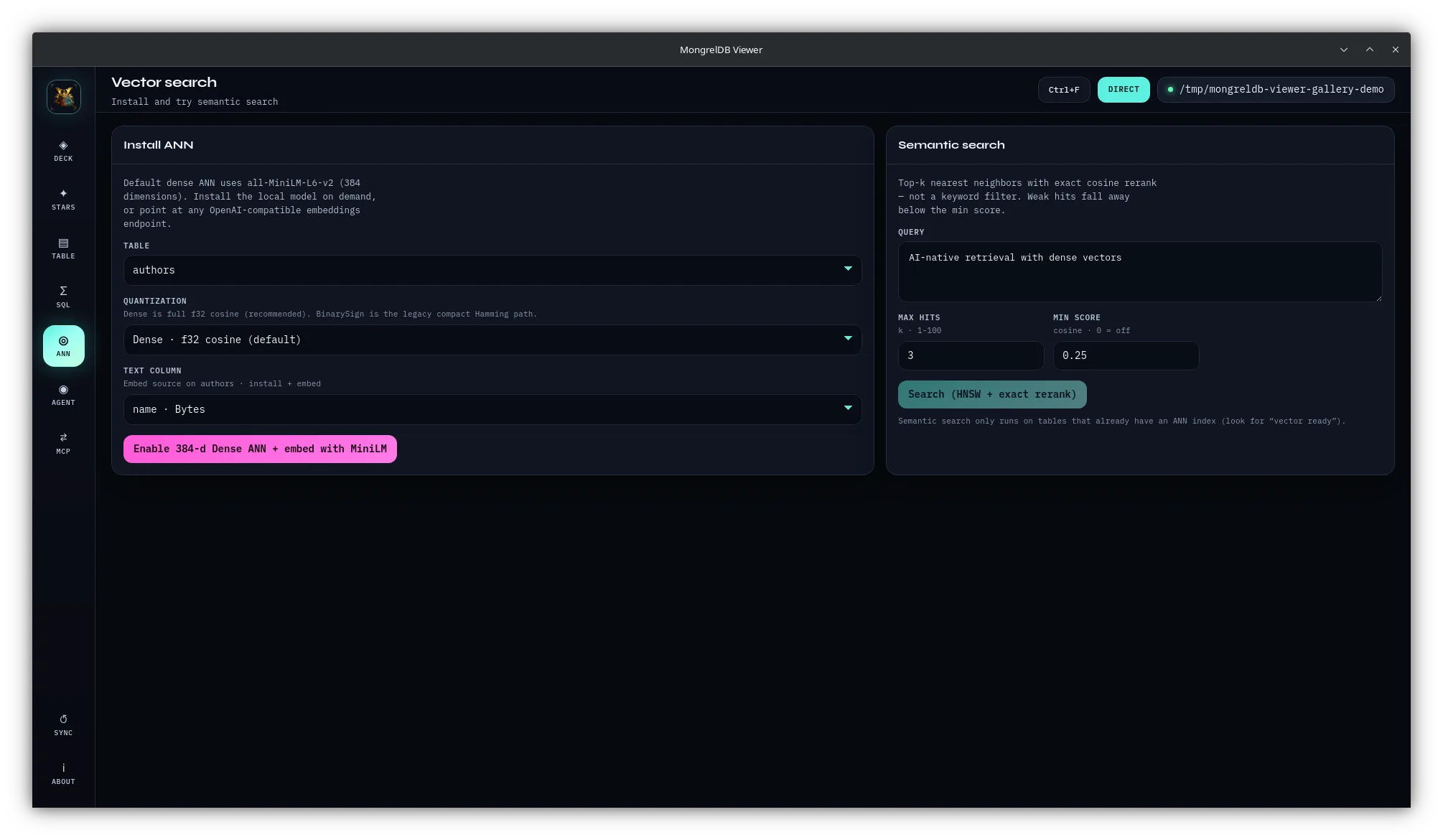
The ANN surface can install, rebuild, or backfill Direct-mode dense indexes and run table-scoped semantic search. A bundled demonstration database provides a safe first run before opening important data.
Use SQL without leaving the database context
The SQL workbench runs MongrelDB/DataFusion SQL against the active connection. It includes recipes, in-memory history, a result grid, and CSV copy. Running SQL refreshes the overview and schema-derived insights.
SQL is not read-only. Viewer can execute DDL, DML, maintenance commands, and operations that alter or remove data. Use a backup and a least-privilege server identity for production inspection.
Expose the open database through MCP
Viewer can share the current GUI connection through a loopback JSON-RPC endpoint or run as a separate stdio MCP process. Tools cover database overview, schema, SQL, and retrieval. The in-app listener has no authentication and must remain on loopback.
Safety before maintenance
- Disconnect Direct mode before another process opens the same root.
- Disconnect before filesystem-level backup unless the documented backup path says otherwise.
- Test REINDEX and ANN maintenance on representative non-production data first.
- Remember that Agent and MCP tools can write when the connection permits it.
- Review what database samples a remote model endpoint receives.
- Update Viewer and its linked MongrelDB compatibility train together.
Viewer or Mongrel?
| Need | Choose |
|---|---|
| Focused MongrelDB browsing, SQL, ANN, and maintenance | MongrelDB Viewer |
| Free and open-source MongrelDB desktop tool | MongrelDB Viewer |
| MongrelDB plus PostgreSQL, MySQL, MongoDB, Redis, and 30+ engines | Mongrel |
| Database work plus SSH, files, Docker, Podman, Kubernetes, and APIs | Mongrel |
Download Viewer
Get the latest matching package from GitHub Releases, or build the Tauri application from source.
Try Mongrel
Use one workspace when the investigation moves from MongrelDB into other databases and infrastructure.